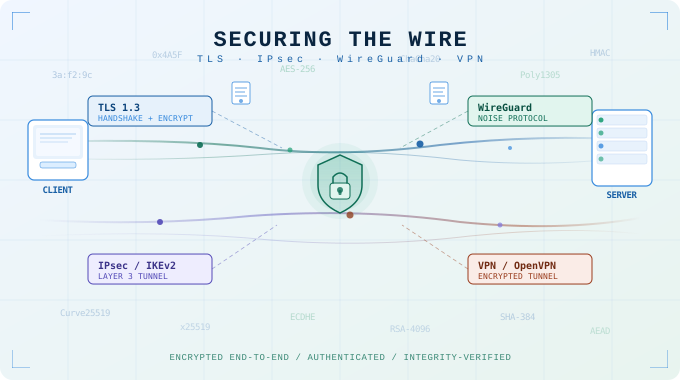
In this article, let’s talk about connection security and give you a good sense of what it can and cannot do. These are classified into two major categories: browser connections and Virtual Private Networks, or VPNs. There are three main technologies (technical term: protocols) used to provide network security on the internet: TLS, IPsec, and WireGuard. We’ll dive into how TLS works. We like to keep our articles so that everyone can understand them, and IPsec and Wireguard are too technical to explain in any depth while maintaining that goal. Suffice it to say that IPsec is the old standard that most VPN products use; it’s like the good old armored truck that’s been used for decades, safe and heavy, built from thick steel plates but not the fastest vehicle on the road. It’s still very popular because that’s what we’ve always used. WireGuard is more like a modern sports car that’s been bulletproofed with Kevlar and lightweight fiberglass. It’s fast, it’s maneuverable, yet it’s incredibly secure.
In the end, we’ll touch on end-to-end encryption and where that comes in.
TLS and browser security
Let us start with browser connection security, since everyone uses it whether they know it or not. This is based on technology called Transport Layer Security, or TLS. TLS is based on something called public key cryptography, which is just technical jargon for a system that allows us to encrypt (or hide) something using a pair of keys (think physical keys, if you will). In public key cryptography, you have a magical box that requires two keys to operate. One key is publicly available, and it can only open a deposit slot. The other key is a private key, which only the box owner has, and can open the box fully to retrieve what has been deposited. Think of a bank deposit box at your local bank branch. You need your debit card to open the deposit slot; put your deposit in the slot, then close it. You have no access or visibility into what is already in the box. Only the designated branch employee can open the box from inside the branch and retrieve the deposits. Anyone can walk into the branch and pick up a debit card; they are publicly available. Only the bank has the actual key to the box; it’s private.
A more accurate but also more abstract analogy is a parcel service company like FedEx. They offer one-size envelopes; you can use as many as you require, but you need to divide what you need to send so each portion fits in a single envelope. You use the computer at the local office to print your label and create your public key based on the recipient. Once you put your stuff in the envelope, you use the public key to lock it. Only the recipient has the private key and can open the envelope. You hand all the locked envelopes to the courier (the internet), who delivers them to the recipient. Once you seal the envelope, no one can access its contents or see what is inside except the recipient. Whether someone knows what is in the envelopes depends on whether they were watching you put stuff in them or not. This is a uni-directional security; if you want folks to be able to send you stuff securely with just public key encryption, you need to register your private key with the carrier.
To work around this limitation, TLS uses public key encryption with symmetric encryption (only one key that gives full access). The analogy is that instead of registering your public key, you just use their public key to send them a traditional locked box and a key, and you keep a copy of the key. You then send this box back and forth, and only the two of you can open it. In technical terms, you use public key encryption to send the other party a password that you both use to encrypt everything. There is also an electronic ID check involved with TLS. See this cartoon CoPilot made for us to illustrate this.
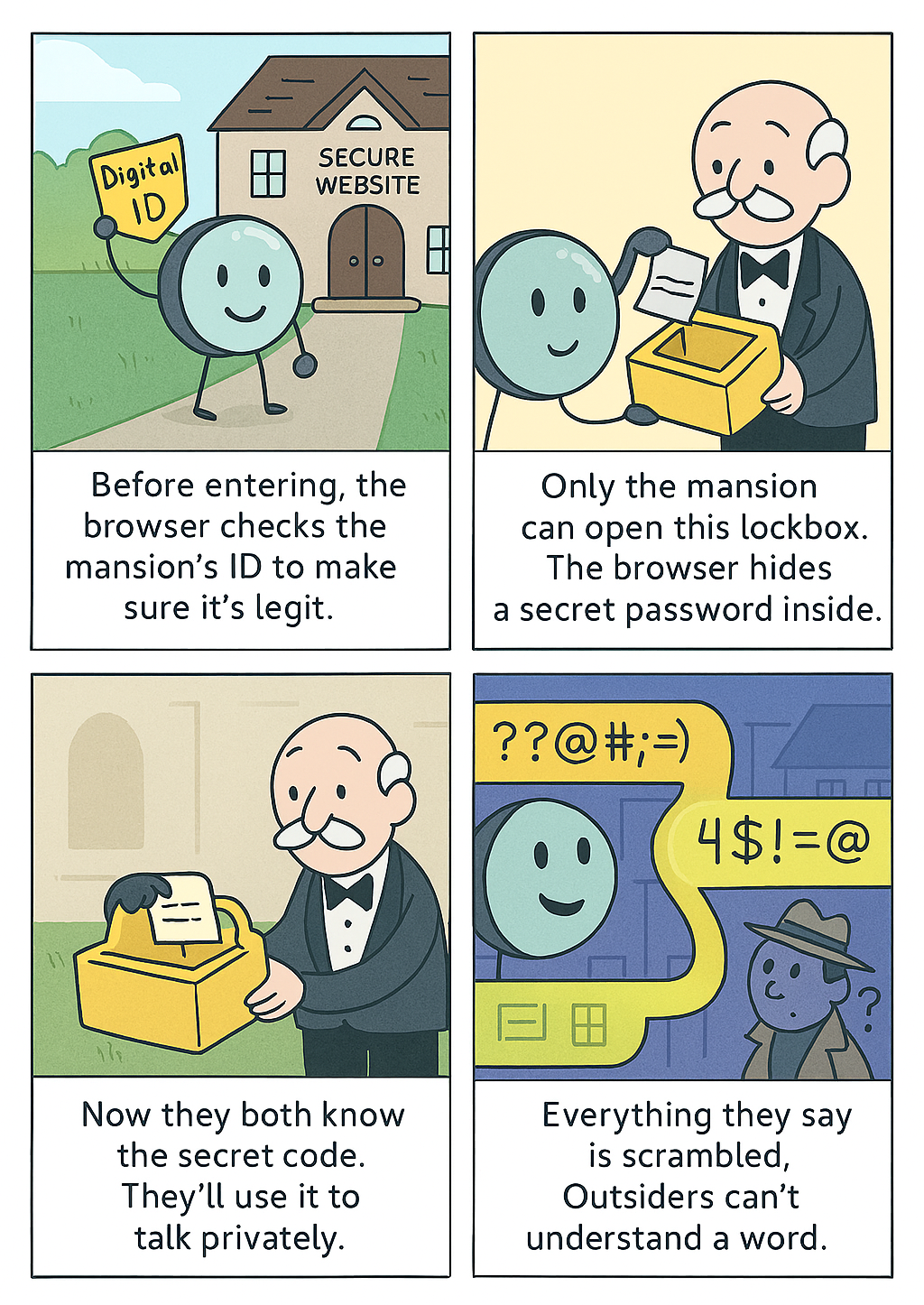
This is how a browser secures your connection to a web server and provides that lock icon in your browser; the technical term is HyperText Transfer Protocol Secure or HTTPS. Just remember that this only ensures the security of the connection, nothing else. TLS ensures that the connection to the receiver is secure, but it does not provide any assurances around who the receiver is or how secure they are. It facilitates an ID check, which provides some level of assurance of who they are, but nothing beyond that. It’s like the bouncer of a nightclub checking the ID of those that enter; what does the ID really tell the bouncer? What the receiver does with what you send them is totally up to them as well. Moreover, as mentioned, if someone is watching you stuff the envelopes, that is outside the scope of TLS. It is on you to make sure no one is watching you stuff the envelopes (if privacy is important) and to vet who you are sending them to.
Virtual Private Networks (VPN)
Now let us turn our focus toward the other category, VPN. This is a technology that allows for a secure tunnel across the internet to a destination of your choosing. Both the origin and the destination need to use the same technology for the tunnel to be operational. You can’t just connect to any random destination; it needs to be a predetermined location with a setup that matches your setup.
While not strictly technically accurate, in simplest terms, HTTPS, which we discussed in the last section, is kind of a tunnel between your computer and the web server. VPN technology is a more generic version of that, allowing any application on your computer to communicate securely with anything at the destination.
VPNs have historically been used by companies to allow employees who are away from the office to access resources as if they were in the office. This is still the best use case for VPN technology: you have a computer with VPN software provided by your employer, and you securely connect to an endpoint that your employer controls. It is very common that they only allow you to connect from a computer they own and control. As we covered before, connection security only applies to the connection, not the endpoints. If there is something fishy going on with an endpoint, for example, someone is watching you stuff your envelopes as in the above example, or someone is taking what you sent and using it illegally, that is outside the scope of connection security. Making sure that endpoints are secure is the responsibility of endpoint security, which is a totally separate topic.
In recent years, the idea of commercial VPN providers has popped up, companies that sell VPN service to the general public, to provide them security and privacy. This is often a very dubious claim, to say the least. You are paying some company for the privilege to establish a tunnel into their network, which then connects you to the internet from there. Can you trust that company to respect your privacy? What do you know about their security? Or are you just paying someone for them to be able to log everything you do on the internet? Tunneling into some foreign network does absolutely nothing for your security; frequently, it actually makes your security worse.
There is only one viable use case for commercial VPNs. That is to get around something called geo-blocking. Geo-blocking is when you can’t watch a specific program because it is only available to viewers in a specific country. For example, while Netflix offers subscriptions in many countries, certain shows and movies are only available in certain countries. The right VPN software can often get around this because you exit the tunnel in the correct country. Even for this use case, selecting a safe VPN is critical, considering the vast majority of commercial VPN providers are not safe.
End-to-end encryption
In closing, I want to touch on the concept of end-to-end encryption (or E2E) as this comes up in the news cycle from time to time. E2E is nothing more than a TLS connection used in the context of peer-to-peer connection. The most common form of peer-to-peer connection is chat applications or video call functions. This is contrasted with server-client connections; for example, email is a server-client technology. You send an email to an email server, and then the other party connects to the email server to retrieve the email. Each party has a connection to a server from a client (email application), but clients don’t talk directly. During a video call, on the other hand, you notify a server that you wish to establish a connection to your mom; the server then notifies your mom that you wish to talk, she accepts, and your two devices connect to each other. The server’s only responsibility is to facilitate the connection; the actual connection happens directly between the two clients (the chat application). This is called a peer-to-peer connection. In a server-client connection, each connection is its own TLS connection. In a peer-to-peer connection, the TLS encryption is also peer-to-peer, or end-to-end. The critical thing to remember here is what we discussed above: TLS does not secure the endpoint. This means that end-to-end encryption excludes the actual endpoint.
Now and then, a clickbait news article makes the rounds about how E2E encryption was breached. In each case, when you dig into the details, you find out that it was not the E2E that was breached; it was the actual endpoint. This is like having a private phone conversation on a speaker in the middle of a restaurant and then saying that your phone company was listening in on your conversation because the secret you discussed became public. Just because someone heard your phone conversation doesn’t mean your phone line was bugged. Installing listening software on your phone is a lot easier than breaking TLS. So make sure both endpoints are secure and pay attention to your surroundings if privacy and security are important.
As always, if you have any questions or need help making sure your endpoints and environment are secure, please get in touch.